

Data Actions
Once an entity is exposed, you configure which operations are permitted on it by adding Actions to the entity. Each action generates a specific endpoint and HTTP method.
An exposed entity must have at least one action configured, or it will generate a model warning.
Standard Response Envelope
Section titled “Standard Response Envelope”All successful data responses from the API Now platform are wrapped in a standard top-level data envelope:
- Single Records & Actions (
Create,Read,Update, auth actions, verification, upload URLs): The entity or result object is returned under thedatakey (e.g.{ "data": { "id": "...", ... } }). - Collections & Queries (
List,Search): Returns an array of records underdataalongside pagination metadata undermeta(e.g.{ "data": [ ... ], "meta": { ... } }). - Empty Operations (
Delete,Unlink): Return204 No Contentwith an empty response body.
For error responses, the platform standardizes on the RFC 9457 Problem Details format (see API Error Codes Reference).
CRUD Actions & Endpoint Types
Section titled “CRUD Actions & Endpoint Types”The API Modeler supports the following standard actions:
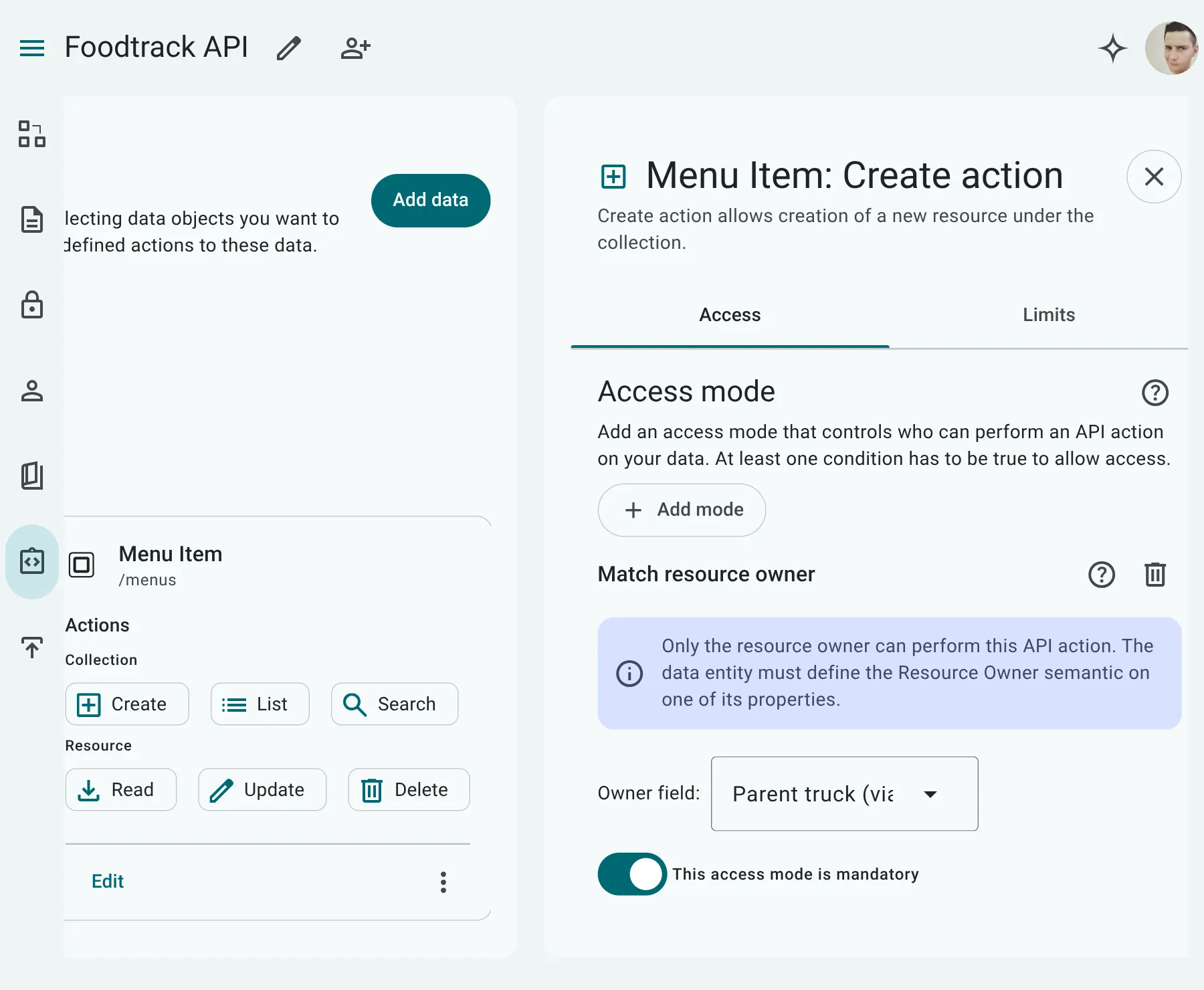
Create (POST)
Section titled “Create (POST)”Exposes the endpoint to insert new records into the database.
- Request Method:
POST /{collectionPath} - Response Status:
201 Created - Response Headers:
Location: The canonical URL path to the newly created resource (e.g.Location: /posts/post_123).ETag: The initial revision tag for the newly created record (e.g.ETag: "2da67d81856dbb4274704c4b74be34a0"orETag: "1"when using theVersionsemantic).
- Validations: Automatically runs schema validations against required properties and format checks on write.
- Write Lifecycle Enforcement:
- Mutable & Immutable Properties: Allowed. Clients can supply values for standard business fields and client-assignable keys (e.g., project
key, currency codes). If omitted, server defaults or nullability constraints apply. - Read-Only Properties: ❌ Forbidden. System-managed fields (like auto-increment sequence IDs,
created_at, or calculated properties) cannot be set by clients. If included in the request payload, the Serverless Engine rejects the request with400 Bad Request(E_VALIDATION_ERROR). - Primary Keys: Permitted only if explicitly configured as
immutable: true. Server-generated primary keys (readOnly: true) are rejected if supplied by the client.
- Mutable & Immutable Properties: Allowed. Clients can supply values for standard business fields and client-assignable keys (e.g., project
Read (GET)
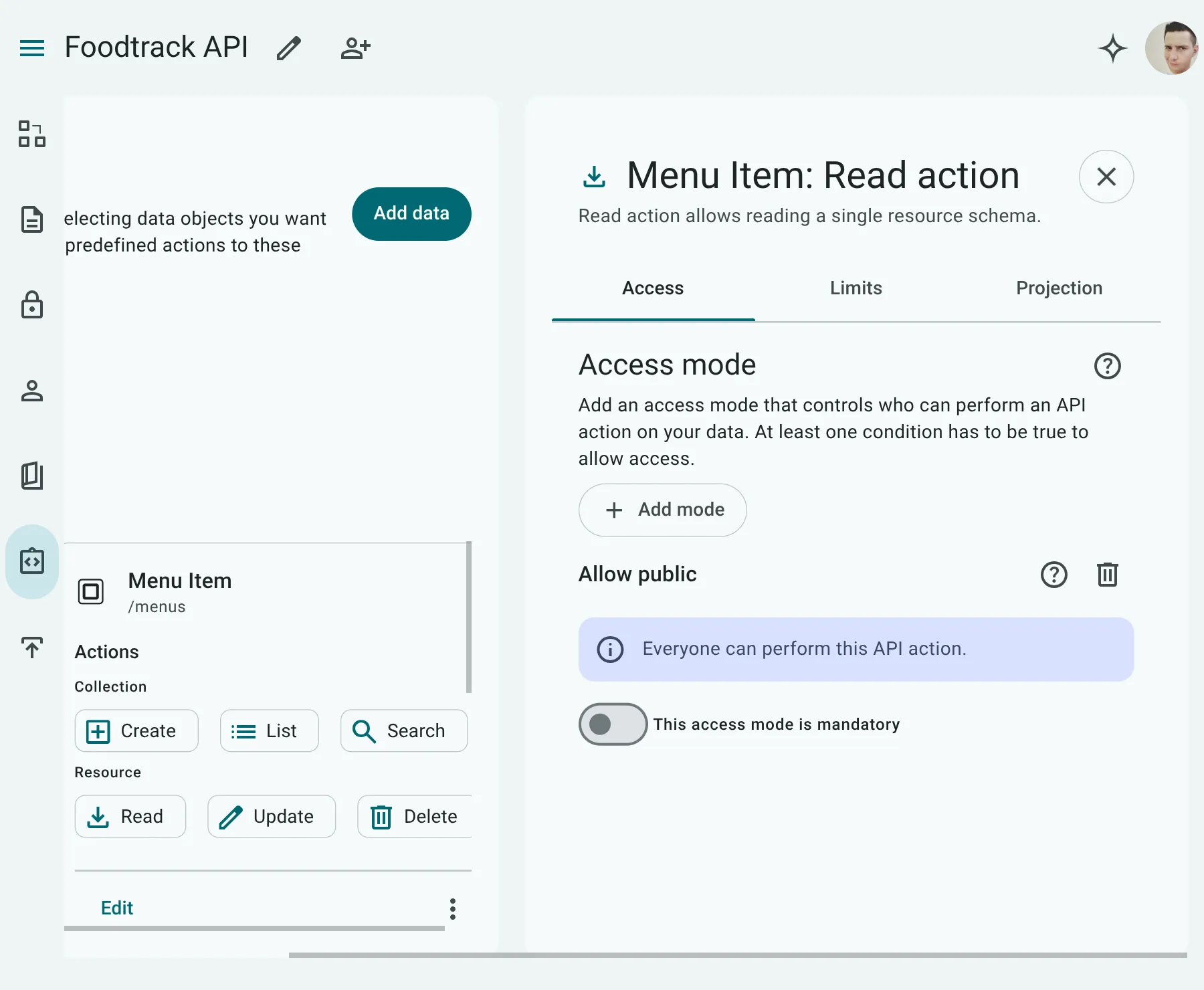
Section titled “Read (GET)”Retrieves a single record from the database by its primary key/ID.
- Request Method:
GET /{collectionPath}/{resourcePath}(e.g.GET /posts/{postId}) - Current User (
/me) Endpoints: When configured as a/mechild exposure, the path resolves toGET /{collectionPath}/me(e.g.GET /users/me). The client does not supply an ID in the URL; the authenticated caller’s User ID is injected automatically from their session. - Response Headers:
ETag: A unique revision fingerprint representing the current state of the record.Last-Modified: (Emitted ifUpdatedTimestampis modeled) The date and time when the record was last modified.
- Conditional Reads (Smart Caching):
Clients can pass
If-None-Match: <etag>(orIf-Modified-Since). If the record has not changed since that revision, the server returns304 Not Modifiedwith an empty body, saving bandwidth and speeding up your app.
Update (PUT/PATCH)
Section titled “Update (PUT/PATCH)”Edits an existing record.
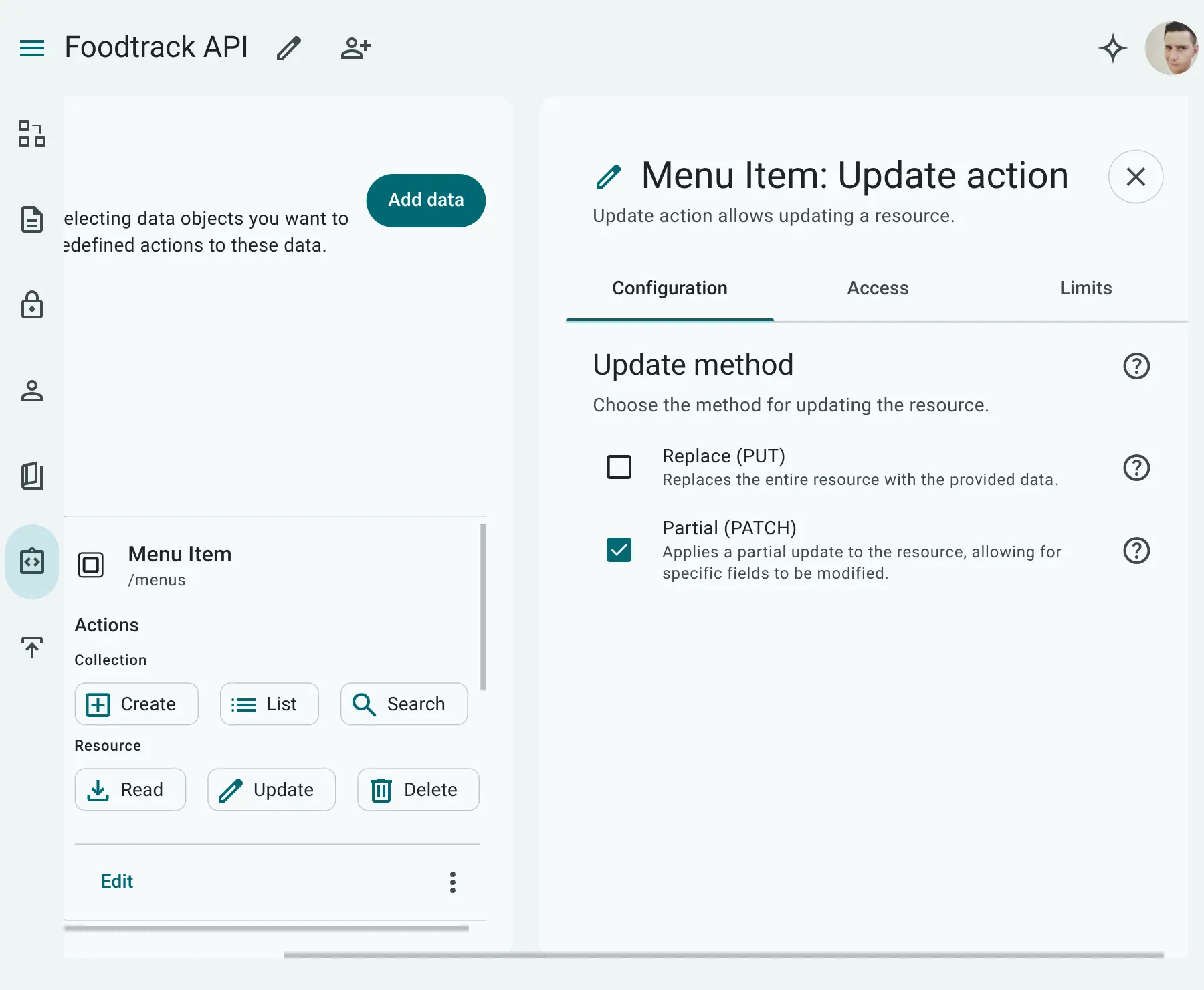
- Request Method: You must select at least one allowed HTTP method:
PATCH: Used for partial updates (updating only a subset of fields provided in the request payload). For properties with a JSON data type, API Now! implements RFC 7396 JSON Merge Patch semantics. This allows clients to recursively merge updates into nested JSON structures or delete properties by sendingnullvalues (see JSON Merge Patch).PUT: Used for complete replacements of the record payload.
- Current User (
/me) Endpoints: On a/mechild exposure, clients update their own profile viaPATCH /users/meorPUT /users/mewithout passing a User ID in the route path. - Concurrent Edit Protection (Collision Shield):
Clients can pass the
If-Matchheader containing the record’s currentETag(orIf-Unmodified-Since). If another user or process updated the record in the meantime, API Now rejects the update with412 Precondition Failed, protecting you from accidentally overwriting someone else’s changes. - Response Headers: Returns the updated
ETagon success (200 OK). - Write Lifecycle Enforcement:
- Mutable Properties: Allowed. Clients can modify any standard read-write property.
- Read-Only Properties: ❌ Forbidden. System-managed fields cannot be modified.
- Immutable Properties: ❌ Forbidden. Write-once fields cannot be changed after creation. Any attempt to alter them returns
400 Bad Request(E_VALIDATION_ERROR). - Primary Keys: ❌ Forbidden. A record’s primary identity cannot be altered in-place.
- Idempotent Same-Value Echoes (PUT & PATCH):
In REST workflows, clients frequently load an entire entity into a form and submit the full object back on
PUT. If an immutable property or primary key is present in the payload with its exact existing value (payload[field] === existingRecord[field]), the Serverless Engine safely permits the request and ignores the field during write execution. The request is only rejected if the value is actually modified.
Differences Between PUT and PATCH
Section titled “Differences Between PUT and PATCH”When exposing an update action, it’s important to understand how PUT and PATCH differ, especially when handling optional fields and JSON data types:
| Behavior | PATCH (Partial Update) | PUT (Full Replacement) |
|---|---|---|
| Omitted Fields | Kept intact as they currently exist in the database. | Cleared (set to null or their default values). |
| JSON Columns | JSON Merge Patch (RFC 7396): Recursively merges sub-keys. | Complete Overwrite: Overwrites the entire JSON object. |
Illustration Example
Section titled “Illustration Example”Assume a User record exists in the database with the following values:
{ "id": 1, "name": "Alex", "email": "alex@example.com", "config": { "theme": "dark", "fontSize": 14 }}If a client sends this payload:
{ "name": "Alexander", "config": { "theme": "light" }}Depending on the HTTP method used, the updated database record will be:
-
Using
PATCH:{"id": 1,"name": "Alexander","email": "alex@example.com","config": {"theme": "light","fontSize": 14}}(Note that
emailremains unchanged, andconfig.fontSizeis preserved due to recursive merge.) -
Using
PUT:{"id": 1,"name": "Alexander","email": null,"config": {"theme": "light"}}(Note that
emailis cleared, andconfig.fontSizeis deleted because the JSON object was fully replaced.)
Delete (DELETE)
Section titled “Delete (DELETE)”Removes a record from the database.
- Request Method:
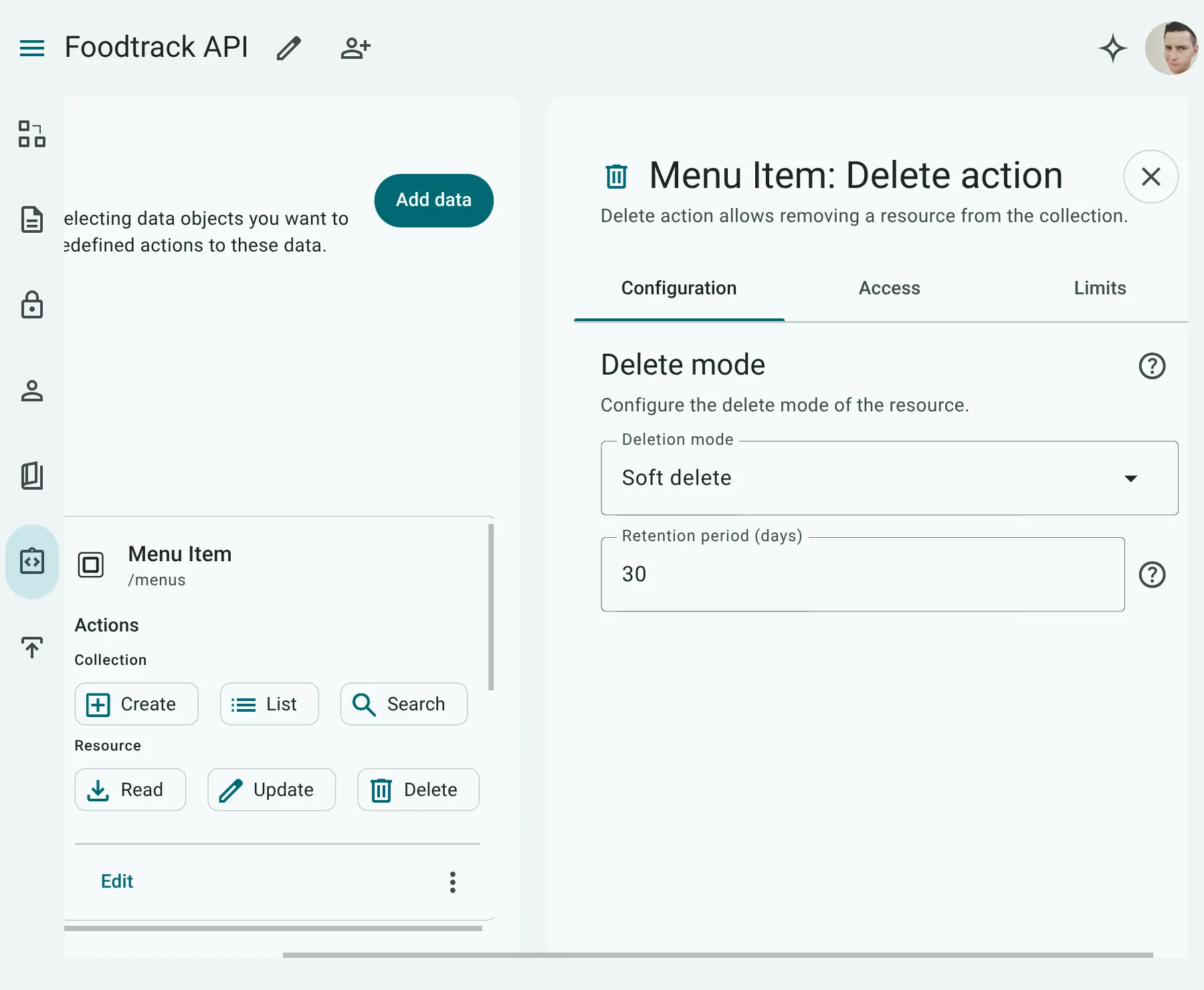
DELETE /{collectionPath}/{resourcePath}(e.g.DELETE /posts/{postId}orDELETE /users/meon a Current User endpoint) - Deletion Strategy: You must select a deletion strategy:
soft(Soft Delete): Marks the record as deleted (hiding it from list and read actions) without physically deleting it from the database. Requires aDeletedFlagorDeletedTimestampsemantic to be set.hard(Hard Delete): Physically deletes the data from the database.
- Safe Deletion Protection:
Clients can pass the
If-Matchheader containing the record’s currentETag. If the record was modified by another user before deletion, the request fails with412 Precondition Failedso you don’t accidentally delete changed data.
Preventing Overwritten Changes & Smart Caching (Concurrency & ETags)
Section titled “Preventing Overwritten Changes & Smart Caching (Concurrency & ETags)”When multiple users or systems interact with the same database, two common challenges arise:
- The Double-Edit Collision (“Lost Updates”): Two people edit the same customer or document at the same time, and whoever saves last silently erases the other person’s work.
- Unnecessary Data Re-downloads: Frontend and mobile apps repeatedly fetch records to check for changes, wasting mobile data and slowing down screens even when nothing has changed.
API Now solves both problems out of the box using standard HTTP ETags (revision fingerprints) and Precondition Headers.
The Real-World Scenario: Alice and Bob
Section titled “The Real-World Scenario: Alice and Bob”Consider what happens when two colleagues work on the same record at the same time:
- 10:00 AM: Alice and Bob both open Order
#101. At this moment, Order#101has revision tagETag: "1". - 10:01 AM: Alice updates the shipping address and clicks Save. The server applies Alice’s update and advances the order’s revision tag to
ETag: "2". - 10:02 AM: Bob, who still has the 10:00 AM screen open on his laptop, changes the order note and clicks Save.
Without Protection (Silent Data Loss)
Section titled “Without Protection (Silent Data Loss)”Bob’s save silently overwrites the entire order record based on his outdated view, accidentally wiping out Alice’s new shipping address.
With API Now’s Collision Shield (If-Match)
Section titled “With API Now’s Collision Shield (If-Match)”Bob’s app includes the header If-Match: "1" when saving.
API Now compares If-Match: "1" against the order’s current revision ("2"). Because they don’t match, API Now immediately halts the save and returns:
HTTP/1.1 412 Precondition FailedContent-Type: application/problem+json{ "type": "https://docs.apinow.app/errors/precondition-failed", "title": "Precondition Failed", "status": 412, "code": "E_PRECONDITION_FAILED", "detail": "If-Match precondition failed. Current ETag '\"2\"' does not match '\"1\"'.", "hint": "Retrieve the latest version of the resource (GET /orders/101) before attempting this mutation.", "instance": "/orders/101"}Bob’s app catches this error, prompts him that Alice just updated the order, and reloads the newest data. Alice’s shipping address is preserved, and Bob can merge his note safely.
Smart Refresh: Faster Apps with 304 Not Modified
Section titled “Smart Refresh: Faster Apps with 304 Not Modified”When your frontend or mobile app displays a record, it often polls or re-fetches to see if anything has changed.
Instead of downloading the entire record again, your app can ask the server: “Give me the record, but only if it has changed since revision X.”
- Client Request:
GET /orders/101If-None-Match: "2"
- Server Response (If Unchanged):
HTTP/1.1 304 Not ModifiedETag: "2"
Because the body is completely empty, the response is near-instantaneous and consumes zero download bandwidth. If the record has changed, API Now returns 200 OK with the fresh data and new ETag.
Zero Configuration: How API Now Handles Revisions
Section titled “Zero Configuration: How API Now Handles Revisions”You do not need to configure complex database triggers, write concurrency logic, or manage revision columns manually:
- Automatic Revision Tracking: Every table deployed in API Now automatically receives a system-managed revision token (
_etag). Even if you do not configure any special settings, your API immediately supportsETag,If-Match, andIf-None-Match. - Human-Friendly Version Numbers: If you tag a property in your entity with the
Versionsemantic module, API Now uses clean sequential numbers ("1","2","3") as theETag. This makes it simple to display the version number directly to users in your UI. - Date-Based Checks: If your entity has an
UpdatedTimestampproperty, API Now also emitsLast-Modifiedand honorsIf-Modified-SinceandIf-Unmodified-Sinceheaders. - 1:1 Connected Records: When an entity has a 1:1 relationship (such as a
Userand theirProfile), updating the child profile via its sub-resource (PUT /users/1/profile) automatically updates the parentUser’sETag. Anyone re-fetching the parent user will immediately see the updated revision.
Header & Status Code Quick Reference
Section titled “Header & Status Code Quick Reference”| Header / Status | Type | Purpose | Non-Technical Meaning |
|---|---|---|---|
ETag | Response Header | Emitted on Create (201), Read (200), and Update (200). | The record’s unique revision stamp. |
If-Match | Request Header | Sent with PUT, PATCH, or DELETE. | “Only save if the record is still on this revision.” |
If-None-Match | Request Header | Sent with GET. | “Only send data if the record has changed.” |
304 Not Modified | HTTP Status | Returned by GET when If-None-Match matches. | “Nothing changed; use your saved copy.” |
412 Precondition Failed | HTTP Status | Returned by PUT, PATCH, or DELETE when If-Match fails. | “Someone else modified this record; refresh first.” |
201 Created | HTTP Status | Returned by POST on successful creation. | “New record created successfully” (includes Location URL). |
Scope: Single Records Only
Section titled “Scope: Single Records Only”Revision tracking and concurrency safeguards apply strictly to single-resource operations:
- Supported Actions:
Create(POST),Read(GET /:id),Update(PUT/PATCH /:id), andDelete(DELETE /:id). - Excluded Operations:
- Collections (
List&Search): Because collection queries return dynamic, paginated results that change whenever any item is added, re-ordered, or modified, they do not emitETagorLast-Modifiedheaders and ignore conditional request headers. - Bulk Operations (
Restore): TheRestoreaction (POST /{collectionPath}/restore) operates on batches of multiple record IDs at once and returns204 No Content. It does not evaluate preconditions. - Many-to-Many Relationships (
Link&Unlink): Connecting or disconnecting independent peers modifies junction records without altering the parent entity’s revision tag.
- Collections (
Many-to-Many (M:N) Association Actions
Section titled “Many-to-Many (M:N) Association Actions”To simplify managing Many-to-Many (M:N) relationships without exposing confusing “join table” entities to API consumers, the API Modeler allows authors to configure Sub-Resource API Actions directly on M:N association edges.
When an association is tagged with an M:N semantic—either the generalized default PeerRelation or a specialized module like OrganizationMembers—the API Modeler UI lists the association as a configurable Sub-Resource under the parent entity.
Configurable Association Edge Actions
Section titled “Configurable Association Edge Actions”Authors can toggle which API actions are permitted on the M:N sub-resource:
List(GET): Can consumers list associated records?Create/Link(POST): Can consumers add a link between records?Read(GET): Can consumers view a specific linked record along with its connection attributes?Update(PATCH): Can consumers modify relationship attributes (e.g., changing pairing notes or member roles)?Delete/Unlink(DELETE): Can consumers remove a relationship link?
Runtime Execution & Embedded Edge Properties
Section titled “Runtime Execution & Embedded Edge Properties”The API Now Runtime generates predictable sub-resource endpoints where relationship edge properties are automatically embedded into request and response payloads.
Example: Peer Pairings (POST /menus/{menuId}/pairings)
Section titled “Example: Peer Pairings (POST /menus/{menuId}/pairings)”Using a self-referencing Menu entity tagged with PeerRelation:
-
Link Existing Items (POST):
POST /api/v1/menus/menu_horchata/pairingsContent-Type: application/json{"menuId": "menu_carne_asada","score": 0.95,"note": "Cuts through spicy salsa"}(Note:
menuIdreferences the primary key of the target menu item, whilescoreandnoteare edge properties stored on the link). -
List Associated Items (GET):
GET /api/v1/menus/menu_horchata/pairingsReturns the linked dishes with their edge attributes:
{"data": [{"id": "menu_carne_asada","name": "Carne Asada Taco","price": 350,"score": 0.95,"note": "Cuts through spicy salsa"}],"meta": {"total": 1}} -
Update Edge Attributes (PATCH):
PATCH /api/v1/menus/menu_horchata/pairings/menu_carne_asadaContent-Type: application/json{"score": 0.98}(Updates only the relationship properties in the link table. Modifications to the target dish’s global fields are not allowed here).
-
Unlink (DELETE):
DELETE /api/v1/menus/menu_horchata/pairings/menu_carne_asadaRemoves the link record from the database. Both dishes remain active and untouched in the
menustable.
Automated Safety & Invariants
Section titled “Automated Safety & Invariants”1. Cycle Prevention for Prerequisites
Section titled “1. Cycle Prevention for Prerequisites”When PeerRelation is configured with nature: 'prerequisite', the runtime automatically performs graph cycle detection on every link request. If linking Course B to Course A would form a circular loop, the request is rejected with a 422 Unprocessable Entity error (E_CYCLIC_DEPENDENCY).
2. Two-Sided Authorization
Section titled “2. Two-Sided Authorization”Establishing a link connects two independent entities. To prevent unauthorized connections, the caller must possess:
- Write permission on the parent entity being modified.
- Read/link permission on the target entity being linked.
3. Link-Only API Policy
Section titled “3. Link-Only API Policy”Top-level entity creation and update endpoints (such as POST /menus or PATCH /menus/{id}) cannot accept arrays of peer records. This deliberate separation of concerns ensures that creating an entity and connecting independent peers remain distinct, auditable actions governed by their respective sub-resource endpoints.
4. Independent Entity Lifecycles
Section titled “4. Independent Entity Lifecycles”- Pre-existing Entities Required: Both records must exist before invoking a POST link action. Sub-resources do not accept nested object payloads to create target entities on the fly.
- No Cascading Deletion: Executing a DELETE action on an M:N sub-resource removes only the connection in the link table. It explicitly does not delete the target or parent entity.
Query Actions
Section titled “Query Actions”API Now! provides two distinct query endpoints depending on your application’s filtering and searching requirements:
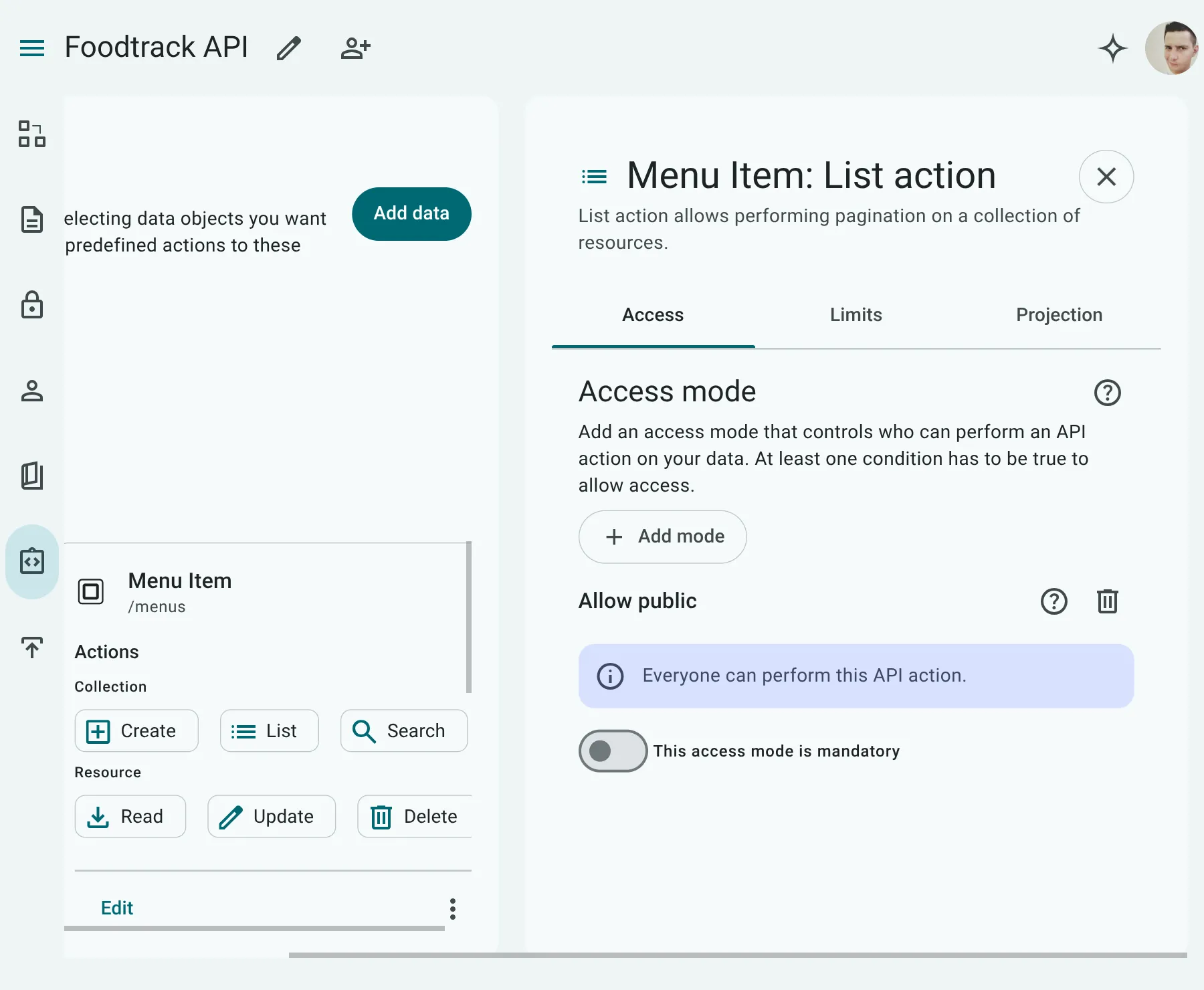
List (GET Collection)
Section titled “List (GET Collection)”The most common query endpoint, used to fetch standard, ordered lists of records (e.g., loading products in a category or listing a user’s notes).
- Request Method:
GET /{collectionPath}(e.g.,GET /posts) - Under the Hood: Uses
GETquery parameters (e.g.,/posts?status=active&sort=-created_at). - Filtering & Sorting: Only properties exposed in the entity’s Pagination Contract can be filtered or sorted.
Search (POST Search)
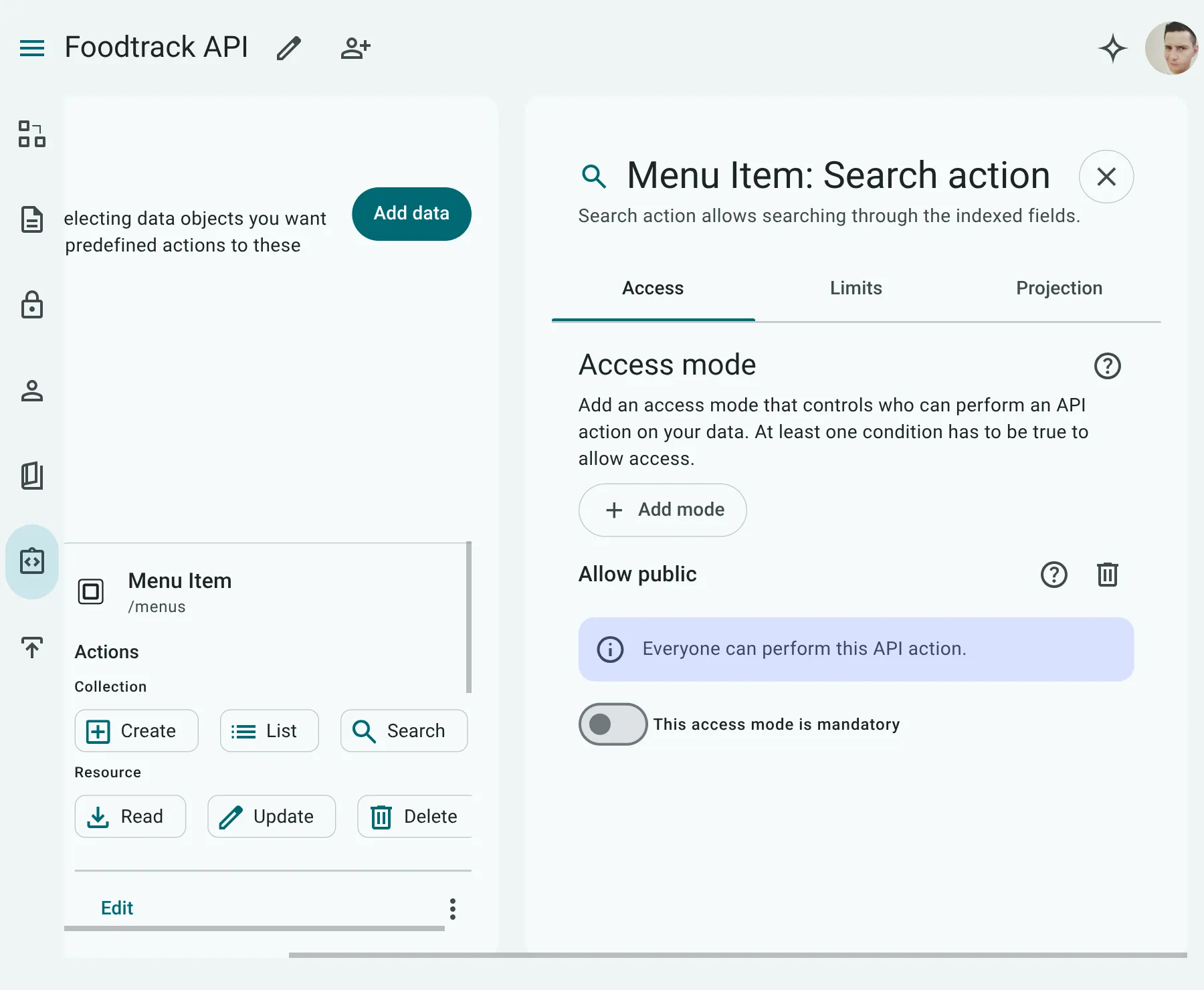
Section titled “Search (POST Search)”A specialized endpoint for complex logical queries and full-text keyword searches.
- Request Method:
POST /{collectionPath}/search(e.g.,POST /posts/search) - Under the Hood: Unlike the
Listaction, theSearchaction accepts a JSON request body representing the Abstract Syntax Tree (AST) of the query. This body allows clients to construct complex, nested query logic (using nestedand/orgroups). - Filtering & Keyword Search: Filtering is restricted to properties exposed in the entity’s Pagination Contract. Keyword/substring searches (using the
containsoperator) are only permitted on text properties marked with the Search Indexed (search) checkbox in the Data Modeler UI.
API-Level Pagination & Query Contracts
Section titled “API-Level Pagination & Query Contracts”Rather than configuring pagination and filtering on a per-action or per-endpoint basis, API Now! defines these properties at the API and Exposed Entity levels to ensure consistency and enforce performance limits.
1. Global API Pagination
Section titled “1. Global API Pagination”Pagination is configured globally at the API level. The entire API uses the same pagination strategy. You cannot configure different pagination strategies per endpoint or action.
- Pagination Strategies:
offset: Traditional page-based pagination (uses page number/offset and page size).cursor: High-performance, token-based pagination (uses an opaque cursor pointing to the last retrieved record, ideal for infinite scrolling).
- Page Limits: The global configuration defines the default page size (
defaultLimit) and the maximum allowed page size (maxLimit) to prevent server overloads.
2. Entity-Level Query Contracts
Section titled “2. Entity-Level Query Contracts”For each exposed entity, you configure a Pagination Contract that specifies which properties are exposed to the client for query operations:
- Filterable Fields: The properties clients are allowed to filter by (e.g.,
status[eq]=active). - Sortable Fields: The properties clients can sort by (e.g.,
sort=-created_at). - Searchable Fields: The properties against which clients can perform text search queries.
Field Projections
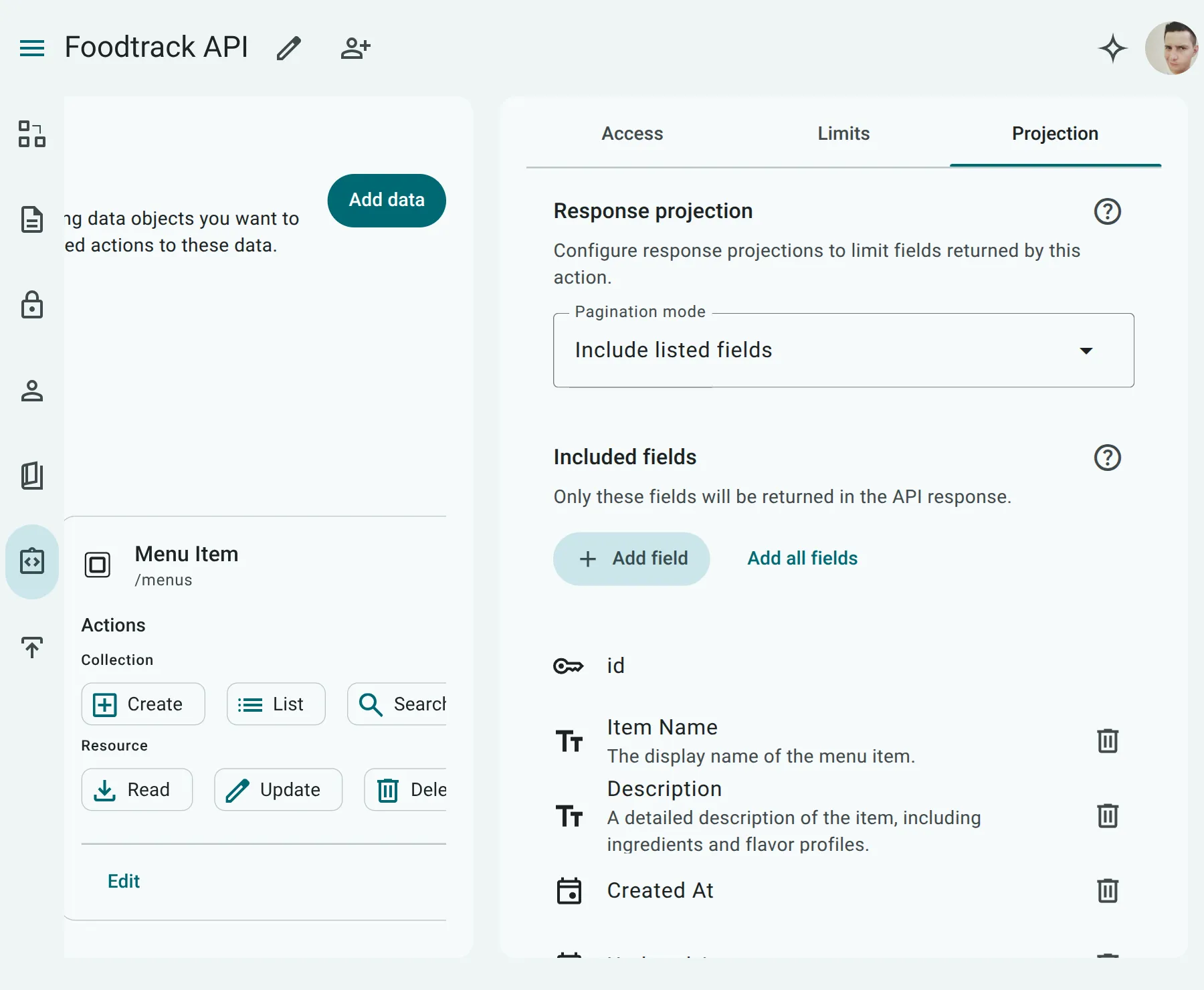
Section titled “Field Projections”To optimize network payloads and protect sensitive data, you can configure Field Projections in the API Modeler for all read-oriented actions: Read (GET resource), List (GET collection), and Search (POST search).
Field projections allow the API author to specify exactly which properties of the entity are returned to the client.
Projection Types
Section titled “Projection Types”You can configure one of two projection strategies for each action:
- Include Projection (
include): Specify an allowlist of properties to return. Any property not explicitly listed is omitted from the response. - Exclude Projection (
exclude): Specify a blocklist of properties to hide (e.g., hiding password hashes or internal status fields). All other properties are returned.
JSON Path Projections
Section titled “JSON Path Projections”Projections fully support nested JSON properties using dot-notation. This allows you to prune flexible JSON columns and return only the specific nested keys required by the client:
- Including a nested JSON key: Specifying
settings.notifications.emailin anincludeprojection will return a pruned JSON object containing only that nested path, omitting other keys likesettings.theme. - Excluding a nested JSON key: Specifying
settings.security.ipAllowlistin anexcludeprojection will return the JSON object with the IP allowlist property removed, keeping the rest of the object.
Action Roadmap & Feedback
Section titled “Action Roadmap & Feedback”While our standard CRUD and Query actions support the vast majority of HTTP use cases for modern applications, we are always looking to expand our action suite.
If your application has a specific use case requiring custom actions or specialized flows (such as bulk imports, batch updates, or RPC-style actions) that are not covered by the current options, please let us know! We build API Now! based on real-world developer needs and welcome your feedback to guide future action additions.