Data Exposition (Exposed Entities)
By default, none of the tables (entities) in your Data Domain are accessible over the web. You must explicitly expose them as Exposed Entities in the API Modeler to generate REST API endpoints.
When exposing an entity, you configure two main types of endpoints: Collections and Resources.
Collections vs. Resources
Section titled “Collections vs. Resources”To design clean APIs, it is important to understand the distinction between collections and single resources:
1. The Collection
Section titled “1. The Collection”A Collection represents a group or list of multiple records.
- Analogy: A folder containing many files.
- URL Path: Typically a plural noun starting with a forward slash (e.g.,
/posts,/products,/orders). - Actions: Associated with list-level or creation operations, such as List (fetch all), Search (find matching items), or Create (add a new record to the collection).
2. The Resource
Section titled “2. The Resource”A Resource represents one single, specific record within the system.
- Analogy: A single file inside a folder.
- URL Path: Composed of the collection path followed by a unique identifier parameter segment (e.g.,
/posts/{postId}or/products/{id}). - Actions: Associated with operations on a specific item, such as Read (view one), Update (edit one), or Delete (remove one).
Endpoint Configuration Rules
Section titled “Endpoint Configuration Rules”In the API Modeler UI, you define these paths using two main fields:
Collection Path
Section titled “Collection Path”The URL path representing the list of records (e.g., /posts).
- Rules: Must be a single path segment starting with a forward slash (e.g.,
/posts). It cannot contain sub-paths (like/posts/active) or parameters.
Resource Path
Section titled “Resource Path”The URL path representing a single record (e.g., /posts/{postId}).
- Rules:
- If the entity has a collection exposed, the resource path must start with the collection path, followed by a unique identifier parameter in curly braces (e.g.,
/posts/{postId}). - If the entity represents a single item (no collection exposed, like a user’s single
/profile), the resource path must consist of exactly two segments including the parameter (e.g.,/profile/{id}). - For Current User (
/me) endpoints, the resource path resolves to a fixed/mesingleton path under the collection (e.g.,/users/me).
- If the entity has a collection exposed, the resource path must start with the collection path, followed by a unique identifier parameter in curly braces (e.g.,
Current User Endpoints (/me)
Section titled “Current User Endpoints (/me)”A common requirement in modern REST APIs is allowing authenticated users to read, update, or delete their own account without knowing their database userId in advance (e.g., GET /users/me, PATCH /users/me, DELETE /users/me).
API Now! provides first-class support for this pattern via Current User (/me) exposures. Rather than requiring artificial database associations or dummy columns, a /me endpoint is modeled as a dedicated child exposure in the API Model tree linked to a parent User collection.
graph TD
    UserCollection["Parent Exposure: User Collection (/users)"]
    UserCollection -->|Standard Resource| UserResource["/users/{userId}"]
    UserCollection -->|Child /me Exposure| MeResource["/users/me (Singleton)"]
Key Architectural Characteristics
Section titled “Key Architectural Characteristics”- Explicit API Model Node: The
/meendpoint is represented as an independent child node under the parent User collection exposure. - Zero Database Pollution: It operates cleanly over existing data without adding artificial foreign keys or domain relationships.
- Automatic Identity Injection: During request execution, the runtime extracts the authenticated caller’s User ID from the session and injects it directly into the query pipeline.
- Invariant Security: Current User endpoints automatically carry built-in security rules:
Allow Authenticated: Unauthenticated callers are immediately rejected with401 Unauthorized.Match Resource Owner: Automatically scopes data fetching and updates to the authenticated caller’s record.
Common Modeling Scenarios
Section titled “Common Modeling Scenarios”1. Standard Self-Service Alongside Admin Endpoints
Section titled “1. Standard Self-Service Alongside Admin Endpoints”You can expose both an admin resource endpoint (/users/{userId}) and a self-service endpoint (/users/me) on the same User entity, each configured with independent actions, projection rules, and access permissions:
/users├── GET /users (List all users - Admin only)├── GET /users/{userId} (Read any user by ID - Admin only)└── /me (Current User child exposure) ├── GET /users/me (Read own profile - Authenticated user) ├── PATCH /users/me (Update own profile - Authenticated user) └── DELETE /users/me (Delete own account - Authenticated user)2. Standalone Self-Service (No Public /{userId} Directory)
Section titled “2. Standalone Self-Service (No Public /{userId} Directory)”If your API only provides self-service profile management without exposing a public user directory or allowing users to view other accounts by ID:
- User registration and authentication are handled automatically by the platform-managed
/auth/registerand/auth/loginendpoints (thecreateaction is disabled for theUserentity). - The
Usercollection exposure serves solely as the parent configuration for/me, without exposing public single-resourceread,update, ordeleteactions on/{userId}. - Consumers manage their own account directly via:
GET /users/me(Fetch active user profile)PATCH /users/me(Update active user profile)DELETE /users/me(Delete active user account)
In this setup, the individual resource route /users/{userId} is omitted from the compiled API routing table entirely.
3. Scoped Enterprise RBAC (/organizations/{orgId}/members/me)
Section titled “3. Scoped Enterprise RBAC (/organizations/{orgId}/members/me)”Current User endpoints also support nested URL hierarchies. When attached to a nested collection exposure (such as organization members), the parent parameters are extracted from the URL while the user identifier is resolved from the active session:
GET /organizations/{organizationId}/members(List organization members)GET /organizations/{organizationId}/members/{userId}(View specific member)GET /organizations/{organizationId}/members/me(View active user’s membership details in this organization)
Supported Actions (Singleton Constraint)
Section titled “Supported Actions (Singleton Constraint)”Because /me represents a singleton entity rather than a collection, only single-record actions are permitted:
| Action Kind | Supported on /me? | HTTP Method & Path | Description |
|---|---|---|---|
Read | ✅ | GET /users/me | Fetches the authenticated user’s record. |
Update | ✅ | PATCH / PUT /users/me | Updates the authenticated user’s record. |
Delete | ✅ | DELETE /users/me | Deletes or soft-deletes the authenticated user’s record. |
Unlink | ✅ | DELETE .../members/me | Removes the authenticated user from an associated parent resource. |
List / Search / Create | ❌ | — | Forbidden (triggers model validation error). |
Routing Validation & Path Collisions
Section titled “Routing Validation & Path Collisions”To ensure your API operates correctly and does not experience routing conflicts, the platform’s validator automatically enforces the following checks:
- No Path Collisions: No two exposed entities share the same Collection Path or Resource Path.
- Parameter Sync: The identifier parameter name in the Resource Path (e.g.,
{postId}) matches the entity’s primary key property. - Unique Parameter Names: All path parameter names within a single URL path must be unique. For example, you cannot configure a nested path like
/users/{id}/posts/{id}because the runtime will not be able to distinguish between the user ID and the post ID. Instead, use distinct names like/users/{userId}/posts/{postId}. - Current User (
/me) Integrity: A/meendpoint can only be attached to a parent exposure that carries theUsersemantic module and has an active collection path. Only one/meendpoint is permitted per parent exposure.
Entity Configuration Tabs
Section titled “Entity Configuration Tabs”When configuring an exposed entity in the API Modeler UI, you are presented with a configuration panel organized into four distinct tabs. These tabs allow you to customize routing, supported actions, query capabilities, authorization rules, and rate limits for that specific entity.
1. Endpoint Tab
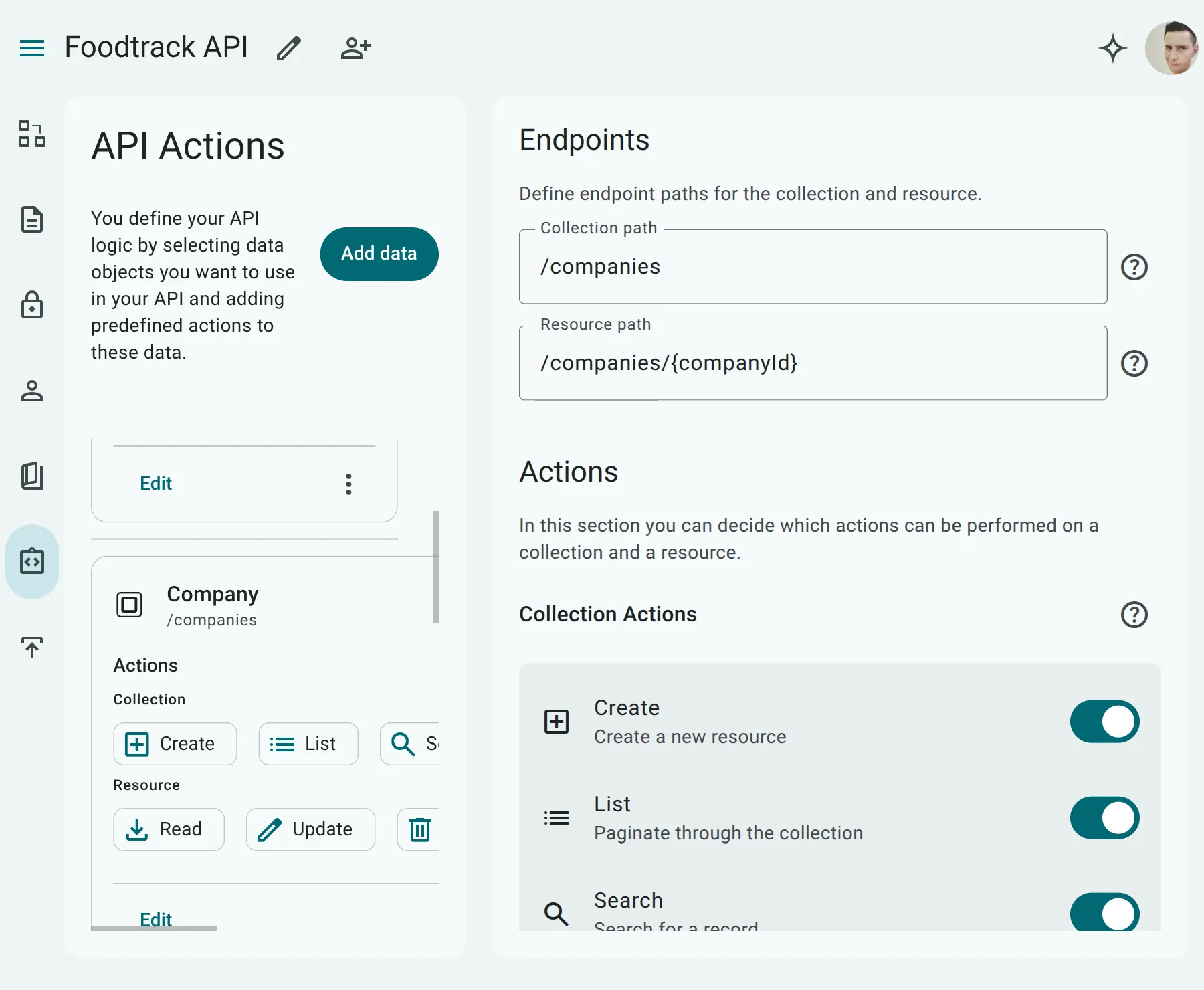
Section titled “1. Endpoint Tab”The Endpoint tab is where you configure the core HTTP routing and allowed operations.
- Endpoint Section: Define the Collection Path (e.g.,
/posts) and Resource Path (e.g.,/posts/{postId}) according to the path validation rules. - Actions Section: Toggle which CRUD and Query actions are enabled for this entity. At least one action must be selected to avoid configuration warnings. The available actions are:
- Create: Allows inserting new records (
POST /{collectionPath}). - List: Allows retrieving a paginated list of records (
GET /{collectionPath}). - Search: Allows querying records using an AST-based filter body (
POST /{collectionPath}/search). - Read: Allows retrieving a single record by its primary key (
GET /{collectionPath}/{resourcePath}). - Update: Allows modifying existing records (
PUTorPATCHon/{collectionPath}/{resourcePath}). - Delete: Allows removing records (
DELETE /{collectionPath}/{resourcePath}).
- Create: Allows inserting new records (
2. Indexes Tab
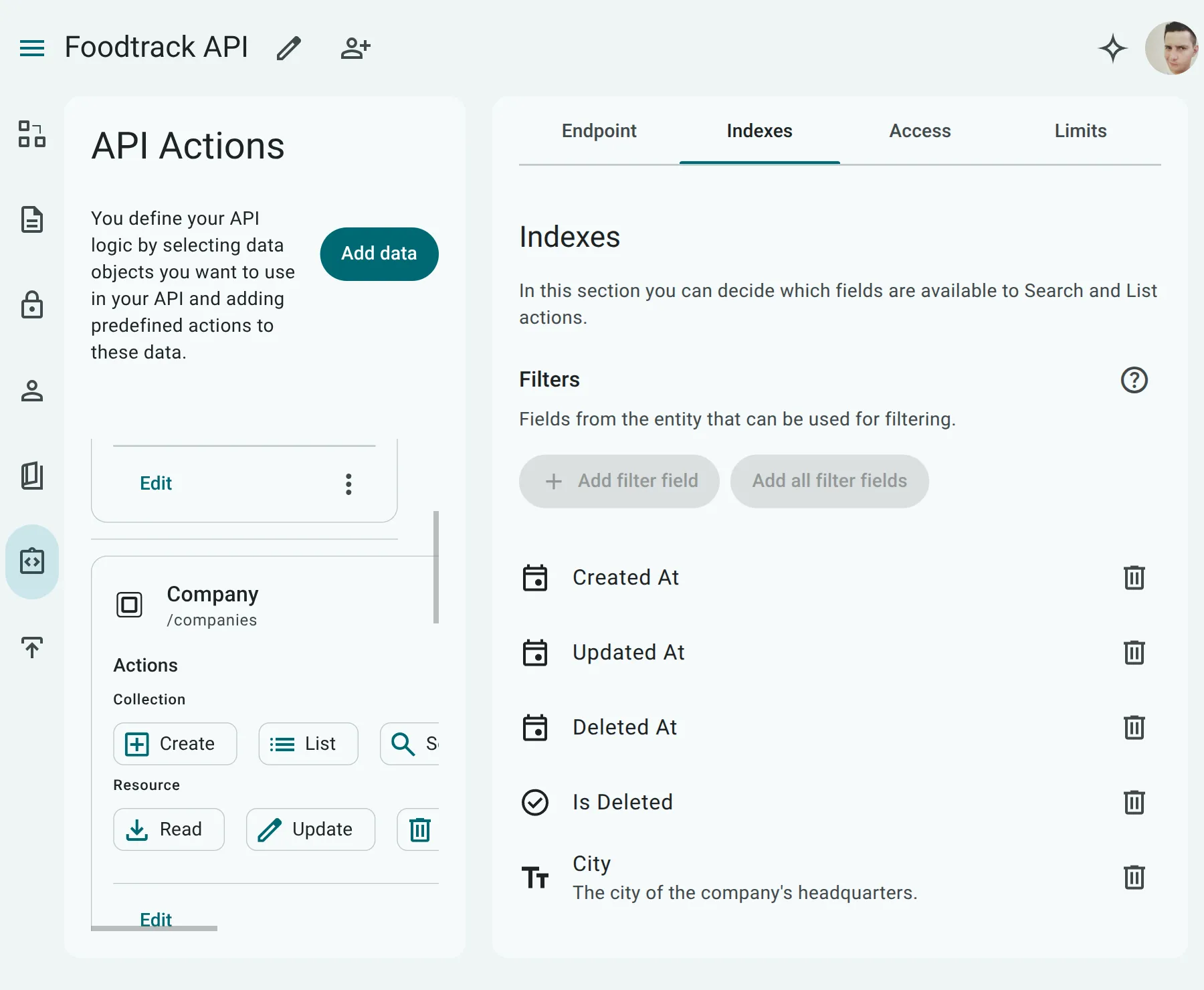
Section titled “2. Indexes Tab”The Indexes tab defines how clients can query, filter, sort, and search the entity’s records.
- Only fields that have been marked with
indexorsearchin the Data Modeler UI are available here. - For each indexed field, you can separately enable or disable its inclusion in:
- Sorting: Whether clients can sort results by this field (e.g.,
sort=-created_at). - Filtering: Whether clients can filter results using comparison operators on this field (e.g.,
status[eq]=active). - Search: Whether clients can perform keyword or substring searches against this field.
- Sorting: Whether clients can sort results by this field (e.g.,
3. Access Tab
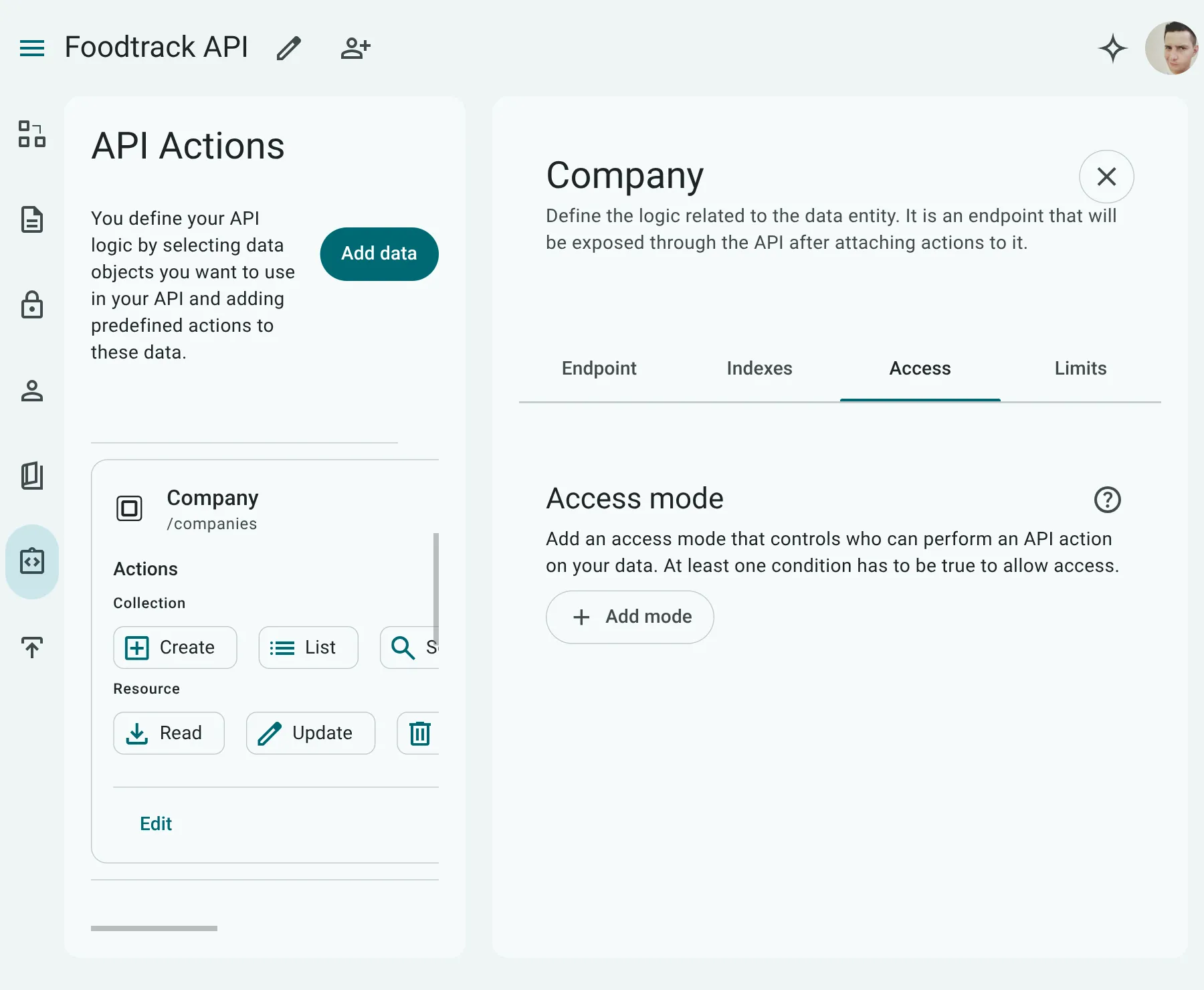
Section titled “3. Access Tab”The Access tab controls endpoint-level authorization.
- By default, the endpoints for this entity inherit the access rules defined globally on the API.
- You can override the inherited rules on a per-action basis (matching the action names:
Create,List,Search,Read,Update,Delete). - This allows you to specify custom roles or access permissions for specific endpoints (for example, allowing anyone to
Readposts but restrictingCreateandUpdateto administrators).
4. Limits Tab
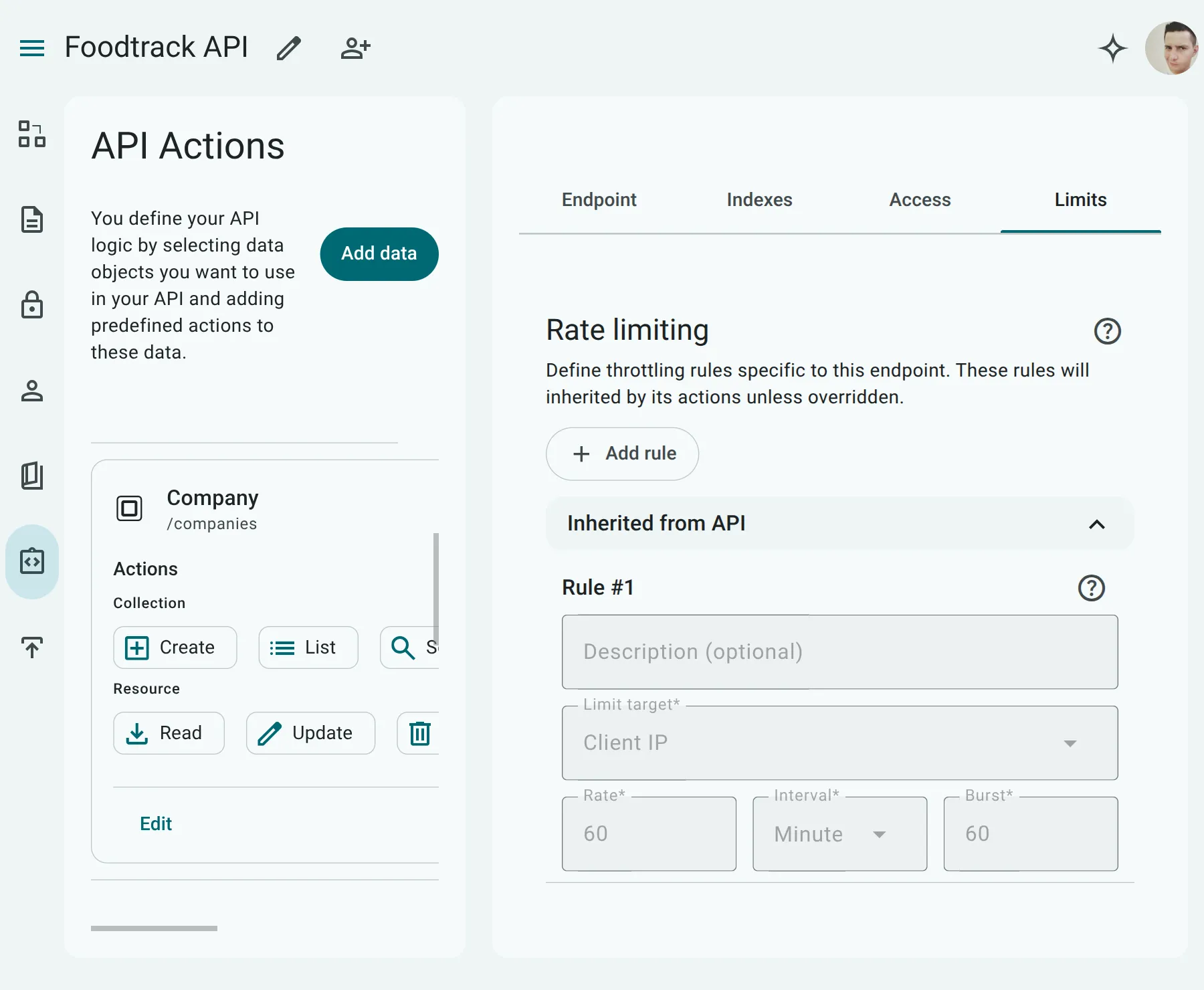
Section titled “4. Limits Tab”The Limits tab governs rate limiting configurations to protect your API from abuse.
- By default, rate limits are inherited from the global API configuration.
- You can override the rate limiting configuration specifically for this entity to set custom thresholds (e.g., allowing fewer requests per minute on resource-intensive endpoints like
SearchorUpdate).