

Password (Semantic Module)
The Password semantic module represents sensitive authentication credentials. In a standard database setup, storing passwords securely requires manual code for salting, hashing, and verifying. The Password module automates this entire lifecycle at the database and gateway levels.
Technical Specifications
Section titled “Technical Specifications”| Attribute | Specification |
|---|---|
| Data Type | String |
| Default Validation | Minimum 8 characters, maximum 100 characters |
| Write Behavior | Salted and hashed using Bcrypt |
| Read Behavior | Write-only (hidden/redacted from all API reads) |
Automatic Backend Actions
Section titled “Automatic Backend Actions”1. Salting & Hashing
Section titled “1. Salting & Hashing”When a user registers or updates their password via a POST, PUT, or PATCH request, the platform’s Serverless Engine intercepts the raw text value, generates a unique salt, and hashes it using Bcrypt before writing it to the PostgreSQL database.
2. Payload Redaction
Section titled “2. Payload Redaction”To prevent accidental credential leaks, the database automatically filters out the password field from all select queries. Any API endpoint (such as GET /users or GET /users/{userId}) will completely omit the password property in the JSON response.
Configuration Options
Section titled “Configuration Options”When applying the Password semantic module in the Domain Modeler, you can customize security parameters directly in the property configuration panel:
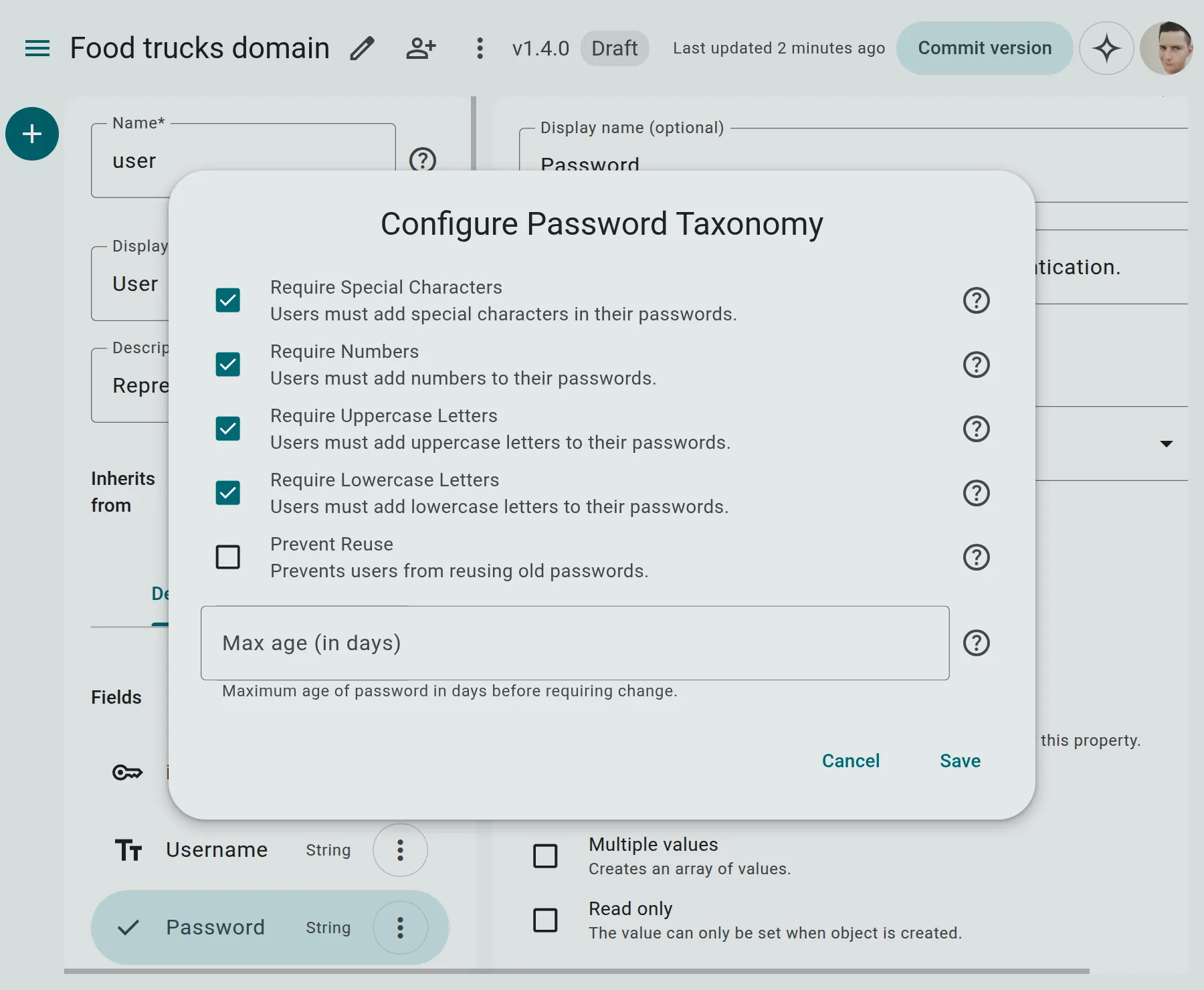
- Require Special Characters: If enabled, passwords must contain at least one special symbol (e.g.,
!,@,#,$). - Require Numbers: If enabled, passwords must contain at least one numeric digit (
0-9). - Require Uppercase Letters: If enabled, passwords must contain at least one uppercase letter.
- Require Lowercase Letters: If enabled, passwords must contain at least one lowercase letter.
- Prevent Reuse: If enabled, passwords cannot be reused.
- Reuse count: Number of previous passwords to remember.
- Max Age: When set, password has to be changed after the specified number of days.
API Lifecycle Example
Section titled “API Lifecycle Example”Submitting a Password (Registration via /auth/register)
Section titled “Submitting a Password (Registration via /auth/register)”When registering a new user account, the client sends credentials over HTTPS:
POST /auth/register{ "email": "jane.doe@example.com", "password": "SuperSecurePassword123!"}Reading a User Profile (Response)
Section titled “Reading a User Profile (Response)”When reading the user profile (e.g. via GET /users/me or GET /users/{userId}), the API response automatically excludes the password field:
GET /users/me{ "data": { "id": "usr_928374", "email": "jane.doe@example.com", "created_at": "2026-06-28T12:20:00Z" }}Validation Rules & Errors
Section titled “Validation Rules & Errors”- Invalid Type Error: Applying the
Passwordsemantic module to a non-string column (such as anIntegerorBoolean) will cause a Semantic Data Alignment [Error] during domain validation. - Length Restriction: If a client sends a password shorter than 8 characters, the API gateway will reject the request before hitting the database:
{"error": "Validation Failed","details": [{"field": "password","message": "Password must be at least 8 characters long."}]}